

Family health tracking platforms split into four practical types: personal health records, medication managers, condition-specific apps and general health aggregators. Pick a personal health record if your priority is storing documents and test results in one place. Pick a medication manager if you're juggling prescriptions for yourself or a relative. Pick a condition-specific app for ongoing monitoring of something like diabetes or asthma. Pick a general health aggregator if the goal is fitness and lifestyle data from a wearable.
That taxonomy matters because mismatched tools cause real problems. A taxonomy resource comparing app types notes that choosing the wrong category for your primary job creates gaps rather than convenience. Quality frameworks like ISO/TS 82304-2 exist specifically because consumer wellness apps and clinical-grade tools solve different problems, and NHS guidance draws that same line clearly.
- Personal health records – best for families who need one place to store scans, letters and test results.
- Medication managers – best for anyone managing regular prescriptions, especially across multiple people.
- Condition-specific apps – best for tracking a single diagnosed condition in detail.
- General health aggregators – best for fitness, sleep and step data from wearables.
Key Takeaways
Choosing the right family health tracking platform means matching the tool's category, not just its feature list, to your household's most urgent care need.
| Point | Details |
|---|---|
| Four core types exist | Personal health records, medication managers, condition-specific apps and general health aggregators each solve a different job. |
| Match type to urgency | Elderly relatives on multiple prescriptions need a medication manager, not a fitness aggregator. |
| Role-based access prevents dilution | Set a named record owner and give others view-only access by default to limit privacy risk. |
| Onboarding time hides in imports | Budget a full session for entering existing medication history rather than expecting a five-minute setup. |
| The Daily Dose Tracker fits medication management | It offers multi-patient support, drug interaction checks and refill prediction, with a free tier and paid Individual or Pro plans for advanced features. |
Table of Contents
- What are the types of family health tracking platforms?
- What features matter most when comparing family platforms?
- What benefits and pitfalls come with family health apps?
- Which platform type suits your family's situation?
- How should families handle privacy and data-sharing controls?
- What do these platforms typically cost, and how long does setup take?
- How does The Daily Dose Tracker fit this taxonomy?
- What should you budget for cost and setup time?
- What's the honest way to choose between these platforms?
- How can The Daily Dose Tracker support your family's medication routine?
- Frequently asked questions about family health tracking platforms
- Sources
What are the types of family health tracking platforms?
Each of the four types solves a genuinely different problem, and knowing where one stops and another starts saves you from picking a tool that looks comprehensive but leaves a critical gap.
Personal health records (PHRs) work like a digital filing cabinet. You upload GP letters, blood test results, vaccination records and scan reports, then share them with a specialist or a new doctor when needed. Their strength is document consolidation, particularly useful during a care handoff between hospital and home. Their limitation is that most PHRs don't manage anything actively. They store information rather than nudging you to act on it, so a missed dose or an overdue appointment won't trigger an alert.
Medication managers do the opposite. They track what's been taken, what's due, and what might clash with something else in the cabinet. A well-built medication manager checks for drug interactions, flags fever thresholds tied to a condition, and predicts when a prescription will run out. This is the category where multi-patient support matters most, because carers looking after an elderly parent or several children rarely manage just one person's regime. The limitation here is scope: a medication manager isn't designed to log years of clinical history or replace a full patient record, though the better ones now allow export of medication history for a GP visit.
Condition-specific apps narrow the focus further still. Diabetes apps track blood glucose trends and carb counts; asthma apps log peak flow and trigger exposure; heart-condition apps might track blood pressure against a target range set by a cardiologist. Strength: depth. These tools are built around one clinical picture and often integrate with the specific devices used to monitor it, such as continuous glucose monitors. Weakness: they rarely talk to anything outside their own condition, so a family managing diabetes and a separate medication schedule ends up running two apps that don't share data.
General health aggregators cover the wearable and lifestyle space: step counts, sleep quality, heart rate variability, workout logs. Apple Health and Fitbit sit firmly in this category, pulling data from a watch or ring into daily and weekly trends. Their strength is breadth of lifestyle data and slick visualisation. Their weakness, and it's a significant one for families, is that they were never built for clinical decision-making. A fitness aggregator will tell you sleep dropped 20 minutes last week; it won't tell you a blood-thinner interacts with a new antibiotic. NHS guidance on medical devices and digital tools is explicit that consumer wellness technology and clinical-grade tools serve different needs, and stretching an aggregator to cover medication safety is one of the more common family mistakes.
Interoperability is where the categories increasingly blur. The FHH Quick App Review argues that family health history tools should be assessed against quality specifications like ISO/TS 82304-2, particularly when a family wants to export data for a clinician to review. Not every app in every category meets that bar, and it's worth checking before you rely on export features for something as important as a hospital admission summary.
The newest cross-cutting trend is AI. Document summarisation, refill prediction and interaction flagging are showing up across categories now, shifting tools from passive record-keeping to something closer to proactive oversight.
Pro Tip: Before committing to any platform, ask whether it exports a clean medication or condition history as a PDF or shareable file. If a clinician can't read it during an appointment, the record-keeping isn't actually helping.
What features matter most when comparing family platforms?
Six features separate a platform that genuinely helps a household from one that just adds another login to manage.
Medication reminders need to do more than ping at a set time. Look for reminders that escalate if a dose is missed, and that let you log why a dose was skipped (skipped, delayed, refused). This matters more for elderly relatives on complex regimes, where a missed reminder can mean a real safety issue rather than an inconvenience.
Multi-user accounts determine whether one login can cover a whole household or whether every family member needs a separate one. For carers managing two or three relatives, this is close to a dealbreaker feature. A platform without proper multi-patient support forces you to log out and back in constantly, which is exactly the kind of friction that causes people to abandon a tool within a fortnight.
Role-based access controls who sees what. A teenager might need visibility into their own asthma readings without seeing a parent's blood pressure history. A professional carer might need to log doses without accessing financial or insurance details stored elsewhere in the record. Trade-off: more granular permissions mean slightly more setup time, but the safety upside is worth it.
Medical records import/export decides whether the platform plays nicely with the rest of a family's healthcare. Can you pull in a PDF from a hospital discharge letter? Can you export three months of medication history before a GP appointment? This is where the gap between consumer and clinical-grade tools shows up most clearly.
Appointment sync ties scheduling into the same place as medication and symptom data, which sounds minor until you're the one trying to remember whether a blood test was booked for Tuesday or Thursday while also managing a parent's tablets.
Symptom logging lets you track patterns over time, useful for spotting whether a new medication is causing a side effect or whether a condition is worsening gradually rather than suddenly.
Run through this checklist while trialling any platform:
- Does a missed dose trigger an escalating alert, not just a single ping?
- Can more than one family member or patient be managed under one account?
- Are permissions adjustable per person, not all-or-nothing?
- Can records be exported in a format a clinician can actually use?
- Does the app sync appointments alongside medications and symptoms?
Pro Tip: Set up a dummy profile with fake data before adding a real relative's information, then test the permission settings from a second device. It's the fastest way to see whether "shared access" actually means what you think it means.
What benefits and pitfalls come with family health apps?
The upside is concrete. Families using a dedicated medication schedule report fewer missed doses simply because reminders replace memory. Consolidated records mean fewer repeated questions during a hospital handoff. Carer coordination improves when everyone involved can see the same dosing log instead of relying on a phone call or a sticky note on the fridge.
The pitfalls are just as predictable, and mostly avoidable.
- Privacy dilution happens when too many people get full access to sensitive records, often through lazy default settings rather than deliberate choice.
- Category mismatch happens when a family tries to run medication management through a fitness aggregator that was never built for it.
- Record duplication creeps in when a household runs a PHR and a medication manager that don't talk to each other.
- Alert fatigue sets in fast if every reminder fires at the same urgency, and people start ignoring all of them, including the ones that matter.
Pro Tip: Assign one person as the primary record owner for each patient and set everyone else to view-only by default. It solves the privacy dilution problem before it starts.
Which platform type suits your family's situation?
Matching the type to the scenario is usually a five-minute exercise once you know what to ask.
| Family scenario | Best-fit platform type | Key features that matter |
|---|---|---|
| Elderly parent, multiple prescriptions | Medication manager | Multi-patient support, drug interaction checks, refill prediction |
| Child with asthma or allergies | Condition-specific app | Symptom logging, trigger tracking, school-carer sharing |
| Multi-adult household, general wellness | General health aggregator | Wearable sync, activity trends, shared dashboards |
| Family with a chronic hereditary condition | Personal health record | Document storage, clinician export, history tracking |
A carer managing an elderly relative on five medications should prioritise a medication manager over anything else. A parent tracking a child's asthma benefits more from a condition-specific app that logs peak flow than from a general aggregator counting steps.
Mixed needs are common, and there's no shame in running two tools if they genuinely cover different jobs. The rule worth following: if two apps would otherwise duplicate the same medication log, consolidate onto whichever one has stronger multi-patient support, and use the other only for what it does that the first one can't.
How should families handle privacy and data-sharing controls?
Role-based access is the single biggest lever families have over their own privacy. Rather than one login with full visibility for everyone, look for platforms that let you set a primary owner per patient and grant others view-only or limited-edit access.
Consent recording matters more than most families realise until it's needed. If a professional carer or a distant sibling has access to a parent's records, being able to show who consented to what, and when, protects everyone if a dispute arises later. Data export controls and deletion rights matter for the same reason: you should be able to pull your own data out and delete it cleanly if you switch platforms or a family member passes away.
Security guidance from NHS England's digital strategy work warns against broad, blanket sharing of patient records and recommends granular, role-based access controls specifically to limit what it calls privacy dilution, where sensitive information ends up visible to more people than actually need it.
The safest default for most families is minimum sharing: give access only to the people actively involved in care, and expand it deliberately rather than by leaving every setting open.
- Set a named primary owner for each patient's record.
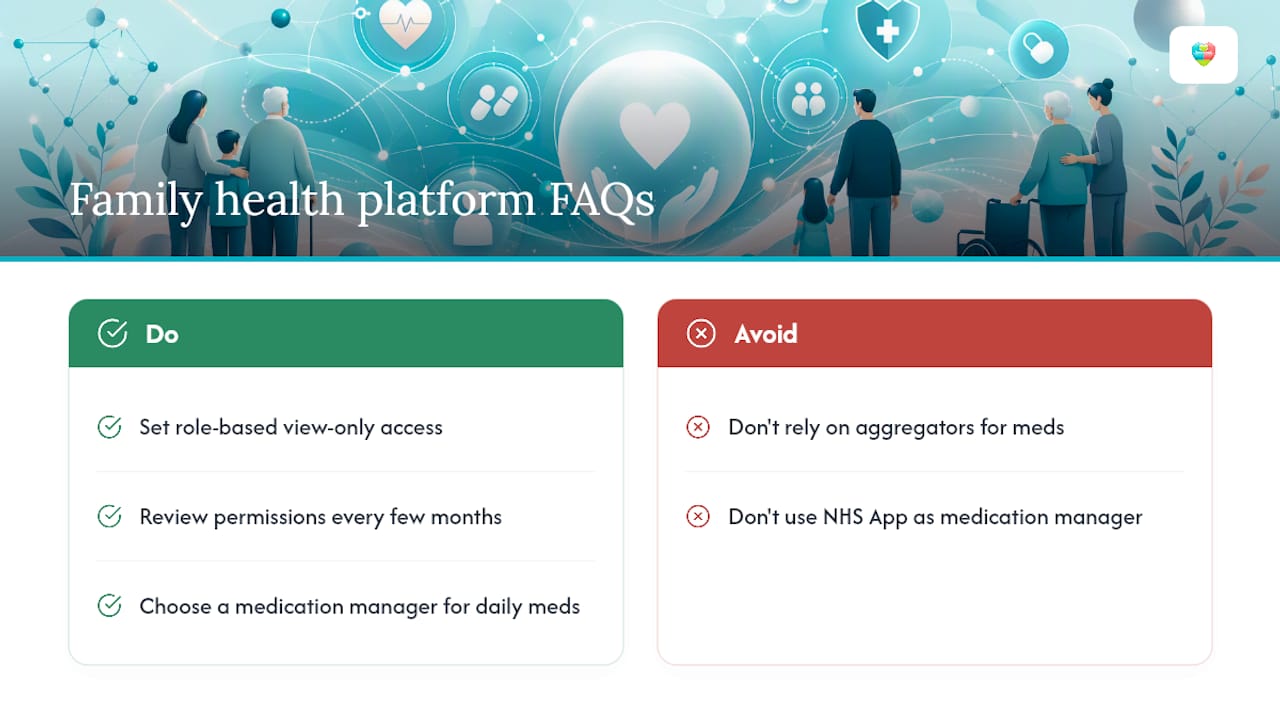
- Review who has access every few months, not just at setup.
- Confirm export and deletion options exist before you commit fully.
What do these platforms typically cost, and how long does setup take?
Most family health platforms follow one of four pricing shapes: freemium (core tracking free, advanced features paid), per-household subscription (one price covers everyone), per-professional seat (aimed at care teams billing per staff login), or device-plus-subscription bundles, common among wearable-linked aggregators.
Onboarding usually takes under half an hour for the basics: creating an account, adding family members, and setting up a first medication schedule. The time sink is almost always records import. Uploading years of scanned letters or manually entering a full medication history for an elderly relative can take an evening rather than a few minutes, and that's before any clinician-facing export gets tested.
Before trialling any platform, check:
- How long does it realistically take to add a second or third family member?
- Can you import existing records, or is manual entry the only option?
- Does the free tier cover medication reminders, or are they paywalled?
Pro Tip: Budget one evening, not ten minutes, for the initial records import if you're consolidating a relative's full medication history. Rushing it is how errors creep in early.
How does The Daily Dose Tracker fit this taxonomy?
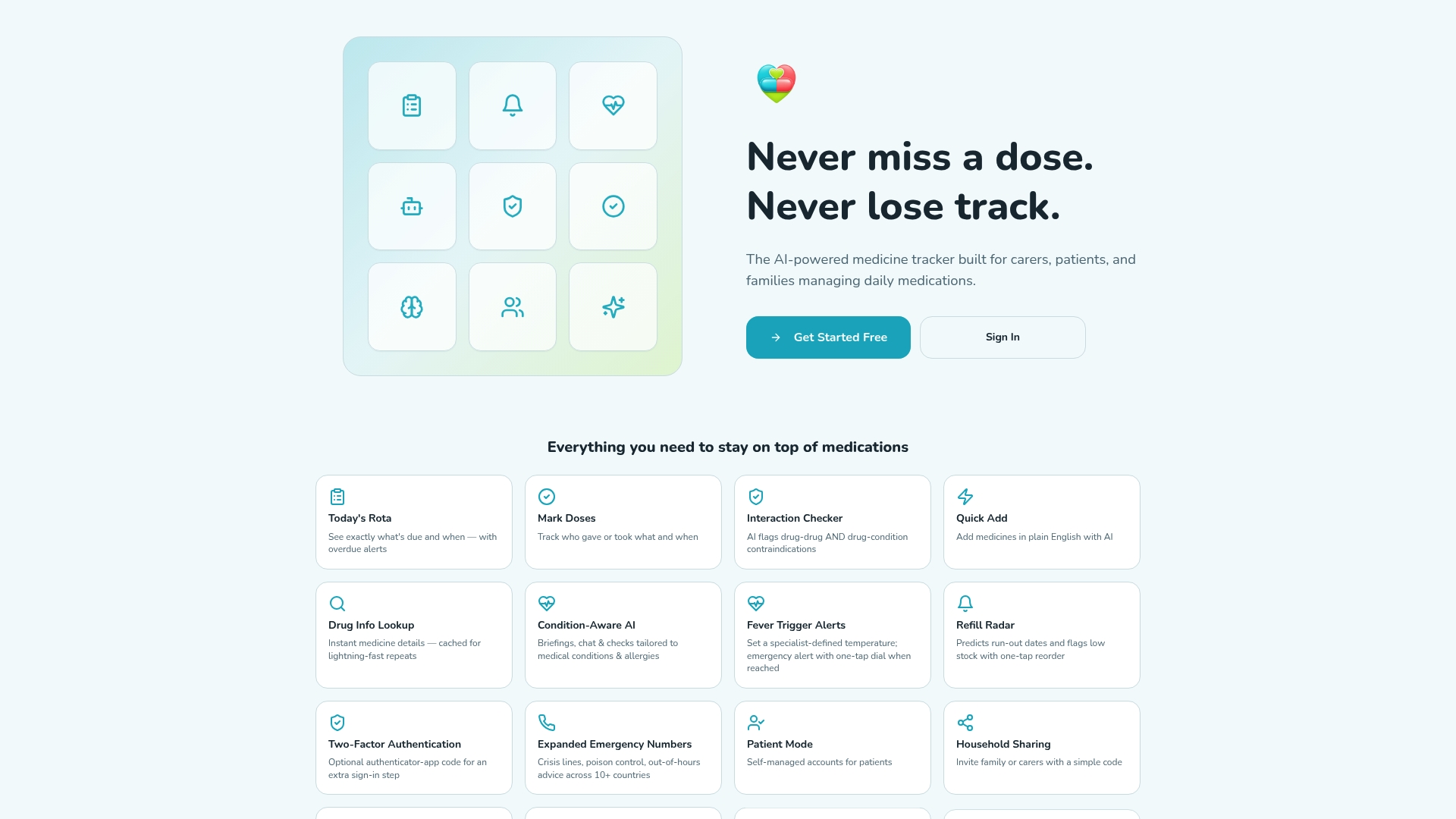
The Daily Dose Tracker sits squarely in the medication manager category, built specifically for the multi-patient, multi-carer scenario that a general aggregator or a document-only PHR doesn't handle well. It combines custom medication schedules, real-time dose alerts, drug interaction and condition-specific checks, fever alerts and refill prediction, with household sharing so more than one relative can be managed from a single account.
Mapped against the checklist from earlier: multi-user accounts and role-based access come through household sharing, medical records export is covered through medication history export, and appointment scheduling sits alongside the medication log rather than in a separate calendar app. The AI-based insights layer, covering interaction checks and refill prediction, reflects the same shift toward proactive management seen across the category.
A sensible onboarding order looks like this:
- Add the primary patient first and enter their current medication list.
- Add secondary family members or patients once the first schedule is confirmed working.
- Invite a carer with view or edit permissions rather than full account access.
- Test a dose alert on a low-risk medication before relying on it for something critical.
Pro Tip: Test the emergency contact and fever alert features with a harmless dummy entry before you need them for real. It's far better to catch a settings error on a test case than during an actual health scare.
This is an educational mapping, not a claim that one tool suits every household. A family running a hereditary condition register alongside daily medications may still want a dedicated personal health record for the document side, using a medication manager for the day-to-day dosing work.
What should you budget for cost and setup time?
Pricing tends to follow the same freemium pattern across most medication managers: free access to core scheduling and reminders, with advanced features such as AI-based insights, multi-patient management and appointment syncing gated behind a paid tier. Individual subscriptions typically suit someone managing their own or one relative's medications, while a Pro tier tends to make more sense for a household covering several people or a professional carer managing multiple clients.
Setup time scales with how much history you're bringing in, not with the software itself. Creating an account and adding a first medication takes minutes. The real time cost comes from importing a relative's full prescription history accurately, particularly if it's currently scattered across paper notes, pharmacy printouts and memory. Families who plan a single dedicated session for this, rather than trying to do it piecemeal, tend to get through onboarding with far fewer errors.
Connecting devices, where relevant, is usually the fastest step, often a single permission tap. The slower steps are always the human ones: agreeing who owns which record, and who gets what level of access before anyone starts logging real doses.
What's the honest way to choose between these platforms?
Most carers overcomplicate this decision by researching every feature before testing anything. The better approach: pick the type that matches your most urgent job, trial it for a fortnight, and only add a second tool if a genuine gap shows up.
For most carers managing an elderly relative's prescriptions, that means starting with a medication manager that supports multiple patients, not a general aggregator repurposed for the job. Fourteen days is long enough to see whether reminders actually reduce missed doses and whether the permission settings hold up once a second family member gets involved.
Involving an elderly relative in setup doesn't need to be disruptive. Sit with them once, enter their current medications together, and let them see the reminder in action before handing over any ongoing responsibility. That single session tends to matter more for adoption than any feature on the spec sheet.
How can The Daily Dose Tracker support your family's medication routine?
Everything covered above points to the same conclusion for most carers: a medication manager with genuine multi-patient support beats a general aggregator stretched past its job. Thedailydosetracker was built for exactly that gap, combining custom schedules, drug interaction checks and household sharing in one place, rather than asking a fitness app to double as a clinical tool.
A trial period of sufficient length is enough to judge three things properly: whether alerts actually reduce missed doses, whether role-based permissions work the way your household needs them to, and whether the medication history export is clean enough to hand to a GP. Check the pricing and subscription options to see which tier covers your household, whether that's a single Individual plan or Pro for managing several relatives at once, and start the trial with one person's schedule before adding the rest of the family.
Frequently asked questions about family health tracking platforms
What are the main types of family health tracking platforms? The four main types are personal health records, medication managers, condition-specific apps and general health aggregators, each built for a different family job rather than one covering everything.
Are Apple Health and Fitbit medication managers? No. Apple Health and Fitbit are general health aggregators focused on wearable and lifestyle data such as steps, sleep and heart rate, not structured medication tracking or drug interaction checks.
Is the NHS App a replacement for a family medication manager? The NHS App gives access to GP records, prescriptions and appointments, but it isn't designed for the day-to-day reminder and multi-patient scheduling work a dedicated medication manager handles.
How do I stop over-sharing sensitive family health data? Set role-based, view-only access as the default for anyone who isn't the primary carer, and review permissions every few months rather than leaving initial settings unchanged indefinitely.
Can one platform manage medications for several family members at once? Yes, provided it explicitly supports multi-patient accounts. The Daily Dose Tracker, for example, offers household sharing so one carer can manage schedules for multiple relatives from a single login.
This article is general information, not a substitute for advice from a qualified doctor. Consult a qualified healthcare professional about your own circumstances before acting on anything here.
Sources
- FHH Quick App Review: How can a quality review process assist primary care providers in choosing a family health history app? (PMC)
- Medical devices and digital tools (NHS England)
- Types of health apps: Finding what you actually need (Vidanis)