

The fastest way to streamline a repeat prescription review is to use an app that prioritises accurate medication documentation, controlled data sharing with clinicians, and automated refill tracking, in that order. A meta-analysis of 14 randomised trials found documentation carried the heaviest weight of all app features for improving adherence, ahead of reminders and data sharing. Two things you can do in the next ten minutes:
- Export your current repeat medication list from your GP surgery or pharmacy app and load it into a medication tracker.
- Turn on household sharing and set one reminder tied to your highest-risk medicine, not every medicine at once.
The NHS App's prescription tracker had nearly 400,000 uses in its first ten weeks, proof that tracking status alone cuts a huge amount of admin friction. The Daily Dose Tracker builds on the same principle for household-level reviews.
Key Takeaways
Streamlining repeat prescription reviews works best when documentation, controlled clinician sharing and automated refill tracking are prioritised in that order, backed by a repeatable ten-to-twenty-minute workflow.
Table of Contents
- What features actually speed up a repeat prescription review?
- How do you run a repeat prescription review step by step?
- How do you involve clinicians without adding to their workload?
- Can prescription tracking cut down pharmacy calls?
- What privacy and safety checks matter most?
- How do you choose an app that actually saves time?
- How The Daily Dose Tracker fits this workflow
- Frequently asked questions
- Sources
What features actually speed up a repeat prescription review?
Not every feature in a medication app earns its place. The 14-trial meta-analysis found documentation, reminders and data sharing carried the highest relative weights among app features linked to adherence gains, with a combined effect size of Cohen's d = 0.40. That ordering should shape what you look for.
Prioritise, in this sequence:
- Accurate medication documentation — dose, regimen and indication recorded against each medicine, not just a name and time.
- Shareable export or report — a one-page summary you can hand to a GP or pharmacist without retyping anything.
- Refill prediction and status tracking — so you know a prescription is due before the box runs empty.
- Configurable reminders — set per medicine, not blanket alerts that get muted after week two.
- Basic clinical decision support — interaction and duplicate-therapy checks that flag problems before they reach a pharmacist.
- Audit logs — a record of who changed what, useful for reviews months later.
A narrative review of digital adherence interventions found reminder-only tools were often insufficient on their own. Interactivity and personalisation mattered more than volume of alerts.
Household sharing, profile switching and adjustable font sizes matter just as much as the clinical features. A carer managing a parent's medicines remotely needs different settings from someone tracking their own prescriptions, and our guide on role of reminders in patient health covers how to calibrate alert frequency without causing fatigue.
Pro Tip: For a single long-term condition, prioritise reminders and refill prediction. For polypharmacy, put interaction checks first. For remote carers, household sharing and export tools outrank everything else.
How do you run a repeat prescription review step by step?
A repeat prescription review does not need a spreadsheet or a clinic appointment. It needs ten to twenty minutes and a clear sequence.
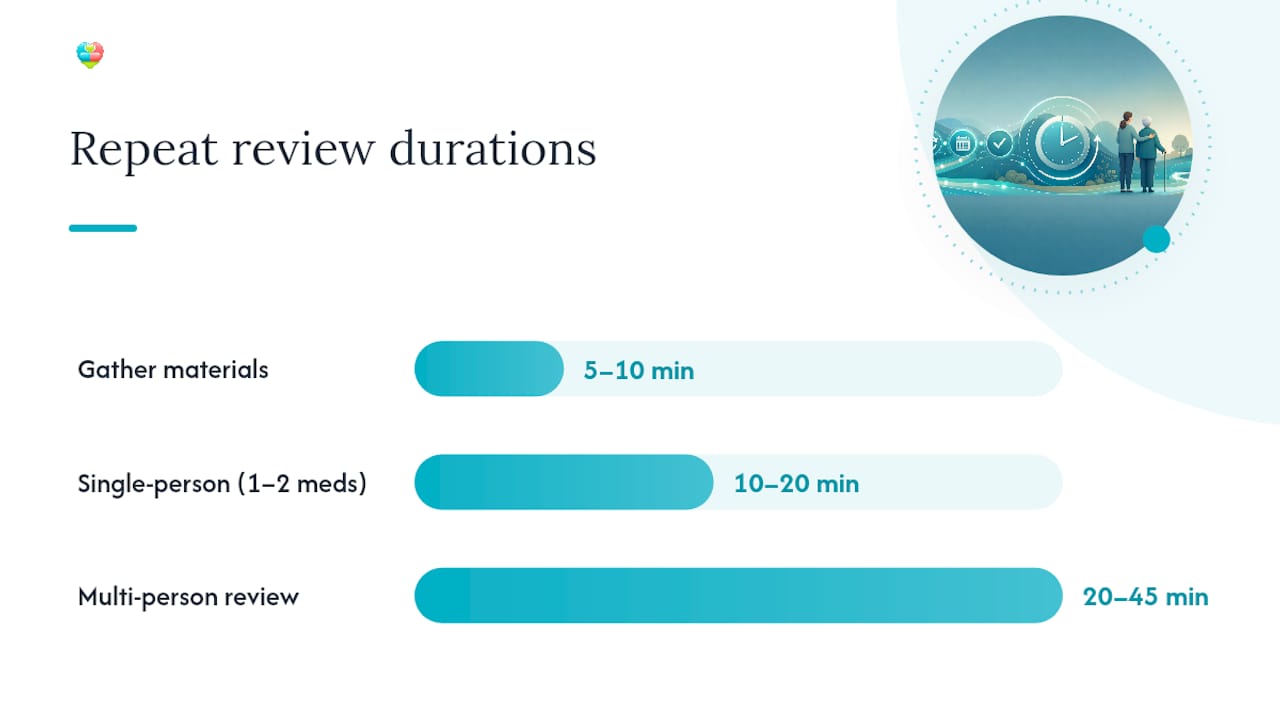
- Gather your materials (5 to 10 minutes): current medicines, any recent GP letters, and your app's existing medication list.
- Confirm details: check name, dose and indication for each medicine against the app record.
- Run an interaction check: use the app's built-in checker to flag duplicate therapy or known drug conflicts.
- Mark each medicine: continue, stop or clarify with a clinician.
- Set the next refill date and reminder: tie this to the actual pack size, not a guess.
- Add notes for your clinician: flag anything you want addressed at the next review.
- Export and share the summary: send it to whoever needs it, whether that is a GP, pharmacist or another carer.
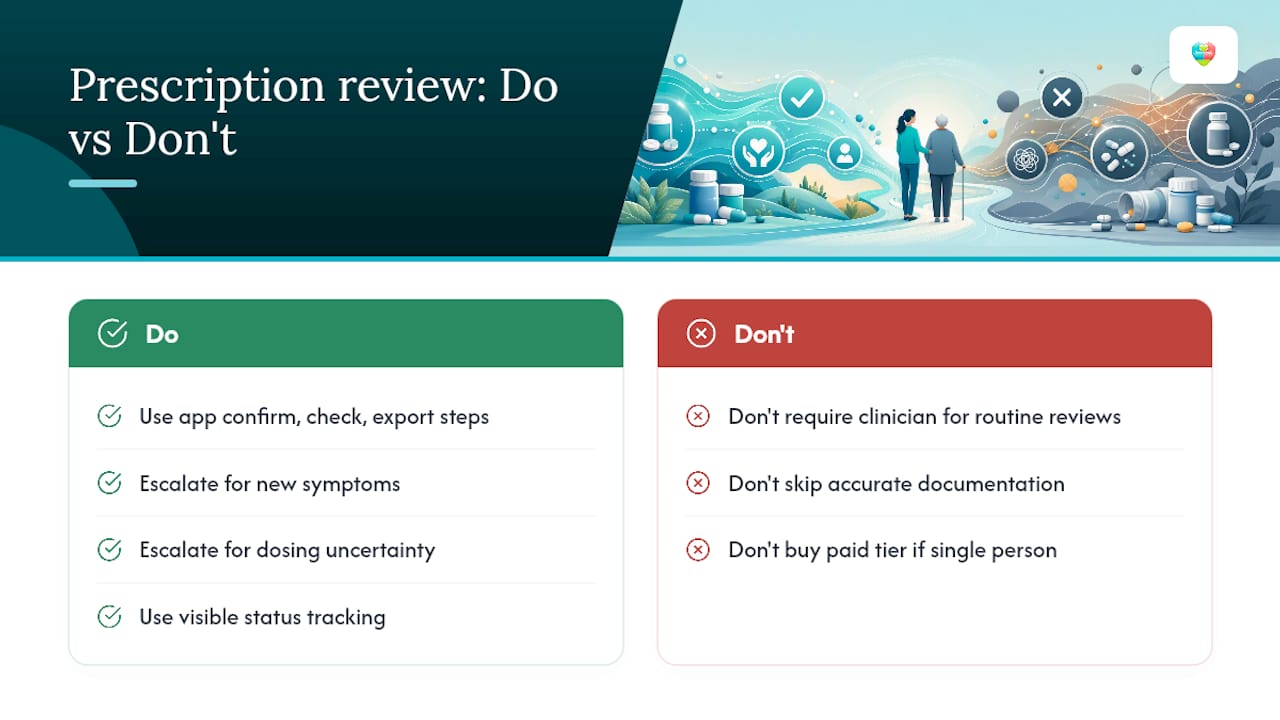
Patients handle steps 1 to 4 alone in most cases. Carers step in for household reviews or when a relative cannot manage the app themselves. Escalate to a clinician immediately if a "clarify" flag involves a new symptom or a suspected interaction. A practical carer guide from Charac sets out similar sequencing for pharmacy-linked apps.
A single-person review with one or two medicines typically takes 10 to 20 minutes. Multi-medication or household reviews covering several people run 20 to 45 minutes, longer if you are untangling a change in dose.
How do you involve clinicians without adding to their workload?
Clinicians do not need a running feed of every dose logged. They need a concise summary at the right moment, and nothing more.
Share only what changes a decision: a one-page medication summary, a short change log, and specific questions rather than open-ended concerns. Batch this into a weekly or monthly digest rather than sending alerts as they happen. Reserve immediate notifications for genuine safety flags, such as a detected interaction or a missed dose that matters clinically.
A systematic review of 16 randomised trials found many app interventions that involved clinicians reported acceptable usability, though the evidence was mixed across studies with different designs. The takeaway is not that clinician involvement fails. It works best when the interface is targeted and does not demand extra minutes per patient.
Our explainer on why GPs review medication records breaks down exactly what information a GP actually needs versus what simply adds noise to an appointment.
Pro Tip: Agree a cadence upfront: monthly summary as standard, immediate alert only for flagged safety issues. Clinicians respond faster to a predictable rhythm than to constant pings.
Can prescription tracking cut down pharmacy calls?
Yes, and the NHS App is the clearest evidence of it. Its prescription tracker recorded close to 400,000 uses within ten weeks of launch, alongside 61.5 million repeat prescriptions ordered through the app over the past year. That volume shift moves routine "where's my prescription" calls away from pharmacy counters and onto a screen carers can check themselves.
The mechanism is simple: a visible status chain (ordered, approved, ready for collection, dispatched) answers the question before anyone needs to phone. To get the same benefit in any tracker:
- Nominate a single pharmacy so status updates flow to one place.
- Set a clear preference for collection or delivery, rather than leaving it ambiguous.
- Turn on dispatch notifications so pick-ups get planned rather than guessed.
Nomination mismatches are the most common fault. If a prescription shows as sent to the wrong pharmacy, re-confirm nomination in both the app and directly with the surgery. Delayed approvals usually trace back to a GP-side backlog rather than the app itself, so check the status timestamp before assuming a fault.
What privacy and safety checks matter most?
An app is a tool, not a clinician. Keep that distinction front of mind through every review.
Before sharing anything, confirm the patient has given consent for their data to be viewed or exported, and check exactly who holds access. Read the app's data retention and GDPR statements rather than assuming compliance. Look for UK GDPR alignment specifically, given where your data sits matters legally.
Clinical limits still apply regardless of how sophisticated the interaction checker is:
- Contact a clinician for any new symptom, not the app's built-in guidance.
- Treat dosing uncertainty as a pharmacist question, never a self-resolved one.
- Flag suspected adverse reactions immediately rather than waiting for the next scheduled review.
- Save the audit trail from each review. It becomes evidence for the next appointment.
A useful escalation line: "I've reviewed [patient]'s medicines in the app and want to confirm [specific concern] before the next dose." A scoping review of home-care medication technology flagged ongoing gaps in accessibility and safety evidence for these tools, a reminder that human judgement still leads.
How do you choose an app that actually saves time?
Run through this checklist before committing to any platform:
- Does it document dose, indication and regimen accurately, not just a name and a time slot?
- Can multiple household members be managed under one account with profile switching?
- Does it export a shareable summary a clinician can read in under a minute?
- Does it check interactions and flag duplicate therapy automatically?
- Is pharmacy integration built in, or does status tracking require a separate app?
- Is onboarding support available, given trials that included user training reported better uptake than those without it?
On cost: most platforms run freemium, with core tracking and reminders free and advanced features such as multi-patient management, appointment scheduling or AI-based insights sitting behind a paid tier. For a household managing two or more people's medicines, that paid tier usually earns its cost quickly through time saved.
Avoid any app that has no export function, no visible privacy policy, or sends every notification at full volume with no batching option. That combination guarantees alert fatigue within a fortnight.
The Daily Dose Tracker ticks the documentation, household sharing, refill prediction and interaction-check boxes directly, alongside accessibility controls like adjustable fonts, which matters if you are supporting an older relative through the app rather than using it solely yourself.
Author's note: what actually works with carers
Most carers I've seen struggle not with the app itself but with GP appointments. Walking in with a mental list of eight medicines and no summary wastes half the consultation. The habit that fixes it is small: export a one-page medication summary before every appointment. Try the workflow above once, time it, and you will likely find the review itself takes less time than the anxiety about doing it did.
How The Daily Dose Tracker fits this workflow
Every feature in the checklist above maps directly to something The Daily Dose Tracker already does. Documentation and export mean a one-page summary ready before any appointment. Household sharing means one account covering a parent, a partner or several dependants without juggling logins. Refill prediction flags a due date before the box runs empty, and interaction checks run automatically against the existing medication list. Accessibility controls, including dark mode and font adjustments, are built in rather than bolted on.
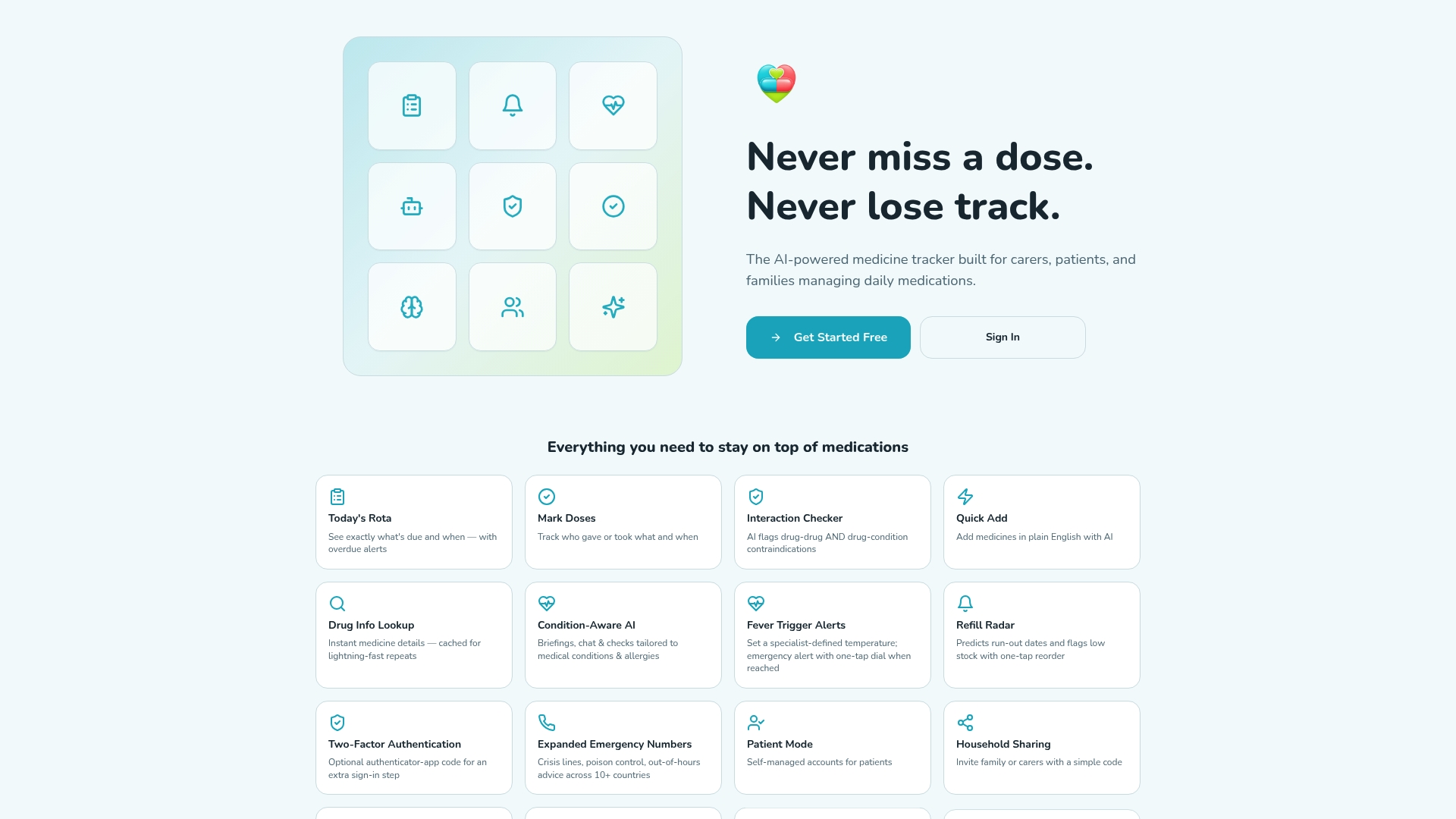
Getting started takes minutes: create an account, import or type in the current repeat list, and run through the seven-step review from earlier in this guide using the app's prompts. The free tier covers documentation, reminders and interaction checks, which is enough to try the full workflow before deciding whether the paid tier's multi-patient and appointment tools are worth it for your household. Visit the Daily Dose Tracker important links page to set up your first medication list today.
Frequently asked questions
How long does a repeat prescription review actually take? A single-person review with one or two medicines usually takes 10 to 20 minutes. Reviewing several people's medicines in a household, or untangling a recent dose change, can run 20 to 45 minutes.
Do I need a clinician present for every review? No. Patients and carers handle most reviews independently using the app's confirm, check and export steps. Escalate to a clinician only for new symptoms, dosing uncertainty or a suspected adverse reaction.
What is the single most important feature when streamlining prescription reviews in an app? Accurate medication documentation, according to the feature weighting from the 14-trial meta-analysis, ahead of reminders and data sharing.
Will using a tracking app actually reduce calls to the pharmacy? Evidence from the NHS App suggests yes. Visible status tracking answers the "where's my prescription" question before a carer needs to phone, contributing to the large uptake seen in its first ten weeks.
Are free medication apps good enough, or do I need a paid tier? Free tiers typically cover documentation, reminders and interaction checks, enough to run the full review workflow. Paid tiers usually add multi-patient management, appointment scheduling and deeper AI insights, worth it mainly for households managing several people's medicines.
This article is general information, not a substitute for advice from a qualified doctor. Consult a qualified healthcare professional about your own circumstances before acting on anything here.
Sources
- Effectiveness of Mobile Applications on Medication Adherence in Adults with Chronic Diseases: A systematic review and meta‑analysis - PMC
- Digital interventions in medication adherence: a narrative review of current evidence and challenges - Frontiers
- Hundreds of thousands use ‘Amazon‑style’ prescription tracker in NHS App — NHS England