
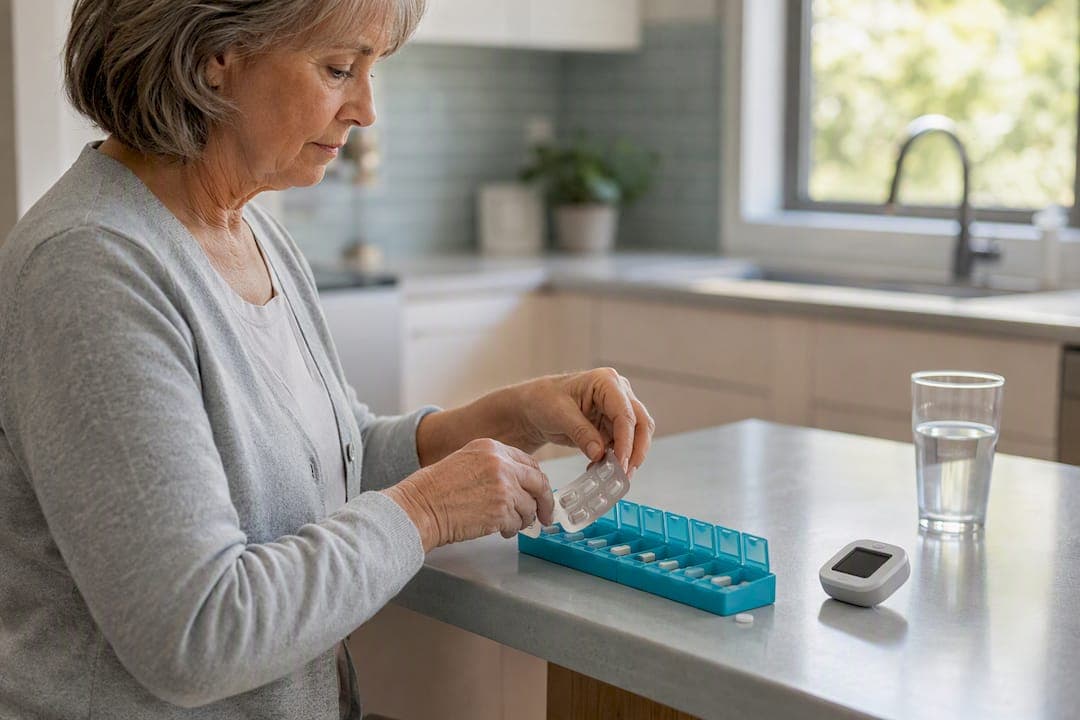
A repeat prescription management system, in the patient and carer sense, is an app that schedules and logs daily doses, sends real-time reminders and refill predictions, checks drug interactions, and lets families share medication records across a household.
- Who it helps: carers, people juggling several long-term medicines, and anyone managing prescriptions for more than one person.
- What the evidence shows: trials suggest these apps can improve self-reported adherence, though results vary between studies.
- The practical promise: it takes the mental load of "did I take that, did I order more" off one person's shoulders and puts it somewhere the whole household can see.
Key Takeaways
A repeat prescription management system works by combining scheduling, refill prediction, and household sharing to reduce missed doses and ease the coordination burden on carers.
| Point | Details |
|---|---|
| Definition matters | It's a patient-facing app for scheduling, logging, refill tracking and interaction checks, not a GP-side prescribing system. |
| Evidence is real but modest | Trials show apps can roughly double self-reported adherence odds, though follow-up periods are often short. |
| Household sharing eases carer load | Shared visibility across profiles reduces the constant checking that drives caregiver burden. |
| Export before your next appointment | A printable adherence history turns a rushed GP visit into a proper, evidence-backed review. |
| The Daily Dose Tracker fits the checklist | It combines household sharing, refill predictions, interaction checks and exportable reports, free to start. |
Table of Contents
- How does a repeat prescription management system work day to day?
- Who actually benefits from using one?
- Do these apps actually improve medication adherence?
- What should you check before trusting an app?
- How do you set up a repeat prescription app for the first time?
- What problems do patients commonly run into?
- How do these apps coordinate refills with pharmacies?
- What does this mean for carers specifically?
- Trying The Daily Dose Tracker for household medication management
- Frequently asked questions
- Sources
How does a repeat prescription management system work day to day?
The daily mechanics are simpler than the name suggests. You log each medicine once, set the times it needs to be taken, and the app handles the rest.
Here's what that actually covers:
- Dose scheduling and reminders — alerts fire at the times you set, adjusted for multiple daily doses or complex regimens.
- Dose logging and taking history — every tap creates a timestamped record, so nobody has to guess whether the 8am tablet went down.
- Refill prediction and reminders — the app counts remaining supply against dosing frequency and flags when a prescription needs renewing before it actually runs out.
- Drug interaction checks — new medicines get screened against what's already logged.
- Household and multi-patient profiles — one login, several people, each with their own schedule.
- Clinician export and data export — adherence history turns into a shareable PDF or report.
- Appointment and symptom logging — context sits alongside the medicine list, not in a separate notebook.
- Accessibility controls — larger fonts, dark mode, and simplified flows for anyone who finds small text or fiddly menus a barrier.
The refill prediction feature does more work than people expect. A meta-analysis of nine RCTs found app users had roughly double the odds of reporting good adherence compared with controls (pooled OR 2.12), and running out of stock unexpectedly is one of the most common reasons doses get missed in the first place.
Pro Tip: Set different alert tones for "time to take" versus "refill due soon" — mixing them together is how alarm fatigue starts, and once someone tunes out the notifications, the whole system stops working for them.
Who actually benefits from using one?
Some people need this kind of app more than others, and it's worth being honest about who gets the most value.
- Older adults managing several medicines at once (polypharmacy), where timing clashes and interaction risks multiply with every added prescription.
- People with long-term conditions who are stabilising a new therapy and need a clear record of what's working.
- Informal carers running prescriptions for two or three people from one phone.
- Parents juggling children's medicines alongside their own.
- Professional carers managing multiple clients across visits.
A daughter living two hours from her father can check his adherence history without a daily phone call. A carer looking after both parents can see two schedules on one screen instead of two paper charts on two fridges. Someone starting a new blood pressure medicine can log side effects against timing and bring a clean record to the next GP appointment.
One caveat: for severe cognitive impairment or medicines needing supervised dosing, a reminder app supports a carer's routine, it does not replace hands-on supervision.
Do these apps actually improve medication adherence?
The honest answer is: probably yes, but not dramatically, and not for everyone.
A systematic review of 16 randomised controlled trials found that app-based interventions, most combining reminders with some education, produced an overall positive effect on adherence. That's a reasonably consistent signal across a decent number of trials. Separately, the BMJ Open meta-analysis pooling nine RCTs reported an odds ratio of 2.12 (95% CI 1.64 to 2.75) favouring app users over controls for self-reported adherence.
The limits matter just as much as the headline numbers:
- Most trials rely on self-report, which tends to overstate real-world adherence.
- Sample sizes are often small, and follow-up periods rarely stretch beyond a few months.
- App features vary enormously between studies, so a "positive effect" in one trial might come from a very different tool than in the next.
A wider review of app effectiveness in chronic disease reaches a similar conclusion: apps tend to help, but the overall evidence quality is graded low, mainly because of that heterogeneity. Experts increasingly argue that generic reminders alone plateau in effectiveness, and that AI-driven personalisation is what sustains engagement over months rather than weeks.
What should you check before trusting an app?
Before you commit real medicines and real routines to any platform, run through this checklist.
- Privacy and data protection — confirm the app states UK GDPR compliance and explains what happens to your data if you stop using it.
- Household and multi-patient support — check whether one account can genuinely manage several people, not just one profile with shared logins.
- Refill workflow — look for a system that predicts when supply runs low based on dosing frequency, not just a fixed calendar reminder.
- Clinician export — a printable or shareable adherence history should be a standard feature, not a paid add-on buried three menus deep.
- Accessibility — large fonts, dark mode, and a simple setup flow matter more than they sound, especially for older users.
- Offline behaviour and notification reliability — ask what happens if a phone loses signal for a day; do alerts still fire locally?
- Pricing model — understand exactly what sits behind the free tier versus what requires a subscription.
Ask directly: "Can I export a printable adherence history for my GP?" and "What happens to shared household data if one carer leaves the account?" A vendor's answer, or lack of one, tells you a lot.
Watch for red flags too:
- Apps demanding permissions with no clear medical purpose (contacts, camera roll, location for a reminder tool).
- Adverts appearing on medicine-logging screens.
- No family or household sharing option at all.
- No way to export or download your own data.
Pro Tip: If an app can't produce a clean PDF adherence summary in under a minute, that's a genuine limitation. Clinicians increasingly find exportable history turns a rushed appointment into a proper, evidence-based conversation about the medicine.
How do you set up a repeat prescription app for the first time?
Getting started takes less time than most people expect, usually under twenty minutes for a single-person setup.
- Create a profile for yourself or the person you're supporting.
- Enter medicines, using a photo of the label where possible to avoid transcription errors.
- Set dosing rules and alert windows, including any "as needed" medicines separately from fixed schedules.
- Invite authorised carers so the household can see the same schedule.
- Test alerts together, ideally before relying on them for anything time-critical.
- Enable data export so a clinician report is ready before you need it, not scrambled together the night before an appointment.
- Set refill reminders and test the refill workflow with one medicine to confirm it flags at a sensible point before supply runs out.
Start with one or two medicines rather than a full list of ten, and check the time zone setting if a carer abroad will receive alerts too.
Pro Tip: Never adjust a prescribed dose based on what the app suggests. Any change to timing or amount should come from the prescriber, then be logged in the app afterwards so the record stays accurate.
What problems do patients commonly run into?
The most frequent complaint isn't a bug, it's fatigue. Too many alerts, too close together, and people start dismissing notifications without reading them. The fix is straightforward: consolidate doses where clinically appropriate and use distinct alert tones for different medicine types, rather than one identical buzz for everything.
Data entry errors come second. Typing a drug name or dose incorrectly during setup can trigger a false interaction warning or, worse, miss a real one. Photographing the label and letting the app read it, where that feature exists, cuts this risk considerably compared with manual entry.
Household sharing sometimes causes friction rather than easing it, particularly when carers disagree about who logged what, or when an elderly relative feels monitored rather than supported. Setting expectations upfront, framing the shared view as backup rather than surveillance, tends to resolve this faster than any settings menu can.
Connectivity is a smaller but real issue. Reminders that depend entirely on an internet connection can fail on a day with poor signal. Systems that store schedules locally and sync when possible are more reliable than ones requiring constant connectivity.
Finally, medicines change more often than people update the app. A dose adjustment after a GP appointment gets forgotten in the digital record for weeks. Building an "update after every appointment" habit, the same way you'd update a paper list, closes that gap.
How do these apps coordinate refills with pharmacies?
From the patient's side, the app doesn't dispense or authorise anything, it tracks and predicts. It counts down remaining supply based on the dosing schedule you've set, then flags when stock is likely to run low, usually with enough lead time to request a renewal before the last tablet is gone.
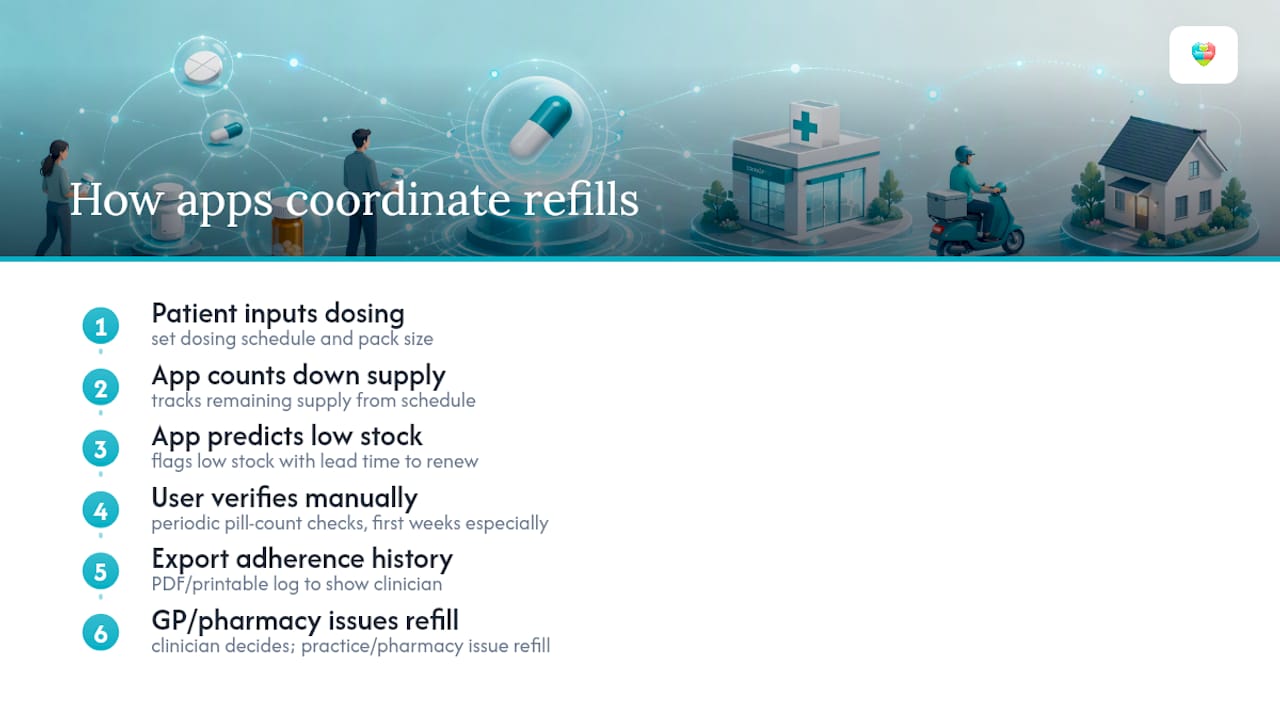
That prediction relies on accurate input. If a dose gets skipped, or a pack size is entered incorrectly, the countdown drifts, so periodic manual checks against the actual pill count are worth doing, particularly in the first few weeks.
The app's role is preparation, not processing. It gives you the information needed to contact your GP practice or pharmacy at the right moment, and increasingly, it gives you a clean history to show them if a renewal query needs backing up with actual dosing data. That exportable history matters more than it sounds. Clinicians who see a printed or PDF adherence log, rather than a verbal "I think I've been taking it", can make faster, better-informed decisions about whether a dose needs adjusting or a repeat needs extending.
Coordination beyond that point, actually issuing and dispensing the repeat, sits with your GP practice and pharmacy's own systems. A patient-facing app supports that process by making sure you show up to the conversation with the right information, not by replacing it.
What does this mean for carers specifically?
Caregiver burden often comes from constant low-level checking: did they take it, is there enough left, does the doctor need to know something changed. Shared, transparent household visibility genuinely reduces that mental tally, because the information sits in one place everyone trusted can see.
It's fair to expect some upfront effort. Entering medicines properly and setting sensible alert windows takes a real sitting, and any change in prescription means a few minutes of maintenance afterwards.
Where it pays off most is at appointments. Bringing an exported adherence report, rather than trying to remember three weeks of doses aloud, turns a rushed GP visit into an actual conversation. Involving carers directly in how these tools get designed consistently improves whether they stick with the habit long enough to matter.
Trying The Daily Dose Tracker for household medication management
The Daily Dose Tracker offers features including household sharing of schedules, refill predictions to flag low supply, automatic drug interaction checks, exportable adherence history for appointments, and built-in accessibility controls such as large fonts and dark mode.
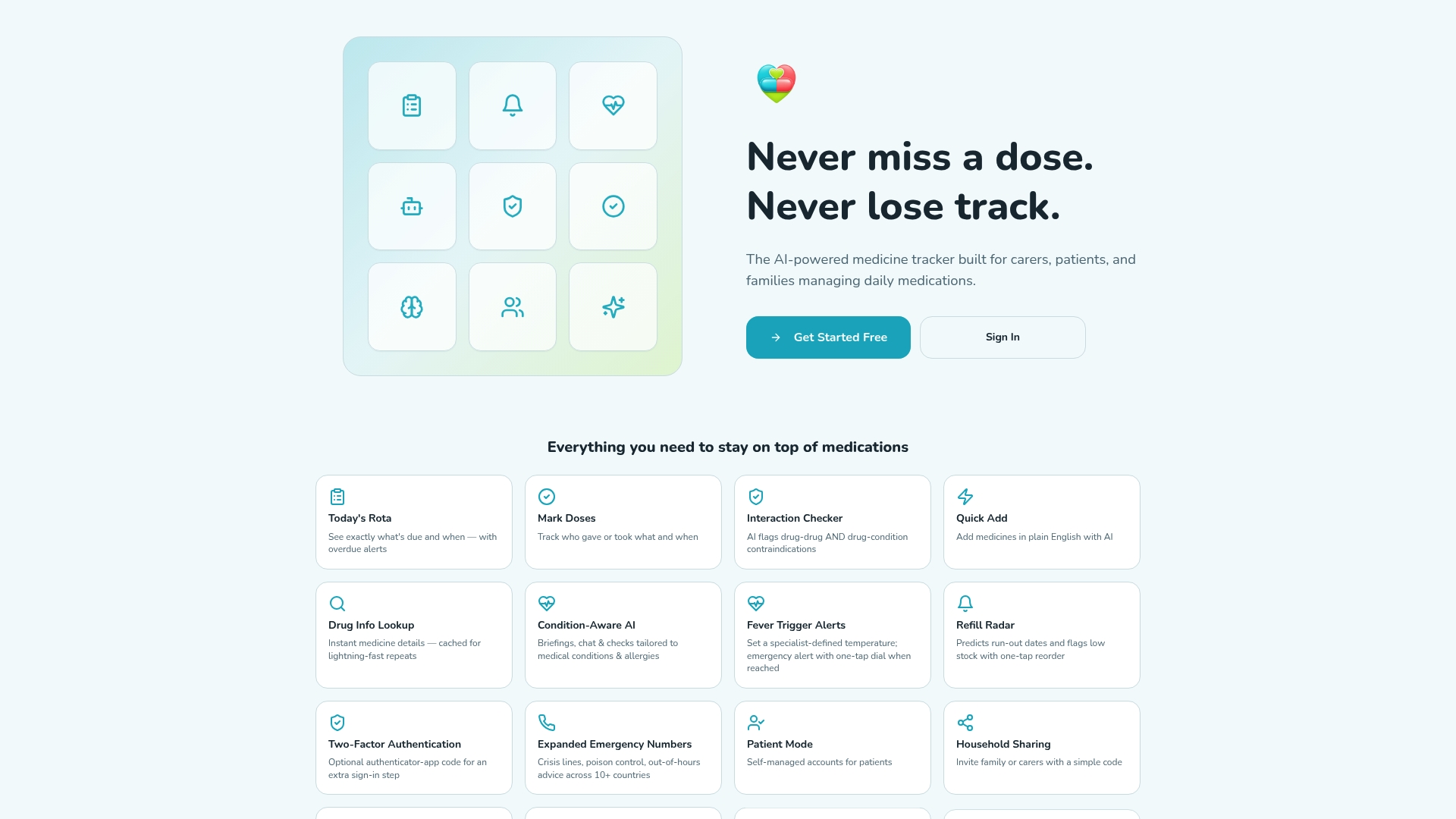
The free tier covers core scheduling, logging and reminders, which is enough to test whether the workflow actually fits your household before committing to anything. Individual and Pro subscriptions unlock advanced AI tools, multi-patient management for professional carers, and deeper notification controls, and the platform is built to UK GDPR standards throughout. If you're managing prescriptions for yourself or a relative, visit The Daily Dose Tracker to set up your first profile and test the refill and export features for free.
Frequently asked questions
Is a repeat prescription management system the same as my GP surgery's online repeat ordering service? No. This kind of app sits on your side of the relationship, tracking doses, reminders and refill timing so you know when to contact your surgery or pharmacy. It doesn't replace the practice's own ordering or dispensing system.
Can one account manage medicines for more than one person? Yes, most patient-facing systems, including The Daily Dose Tracker, support household or multi-patient profiles under one login, which is one of the features carers rely on most.
Do these apps check for drug interactions automatically? Many do, screening newly logged medicines against everything already recorded on a profile, though this should support a pharmacist's advice rather than replace it.
How reliable is the evidence that these apps improve adherence? Reasonably encouraging but not definitive. Multiple systematic reviews show a positive overall effect, though small sample sizes and reliance on self-reported data mean the effect size varies between studies.
What should I do if my prescription changes? Update the app as soon as the change is confirmed by your prescriber, and never adjust dosing based on the app's own suggestions. It logs and reminds; it doesn't authorise clinical decisions.
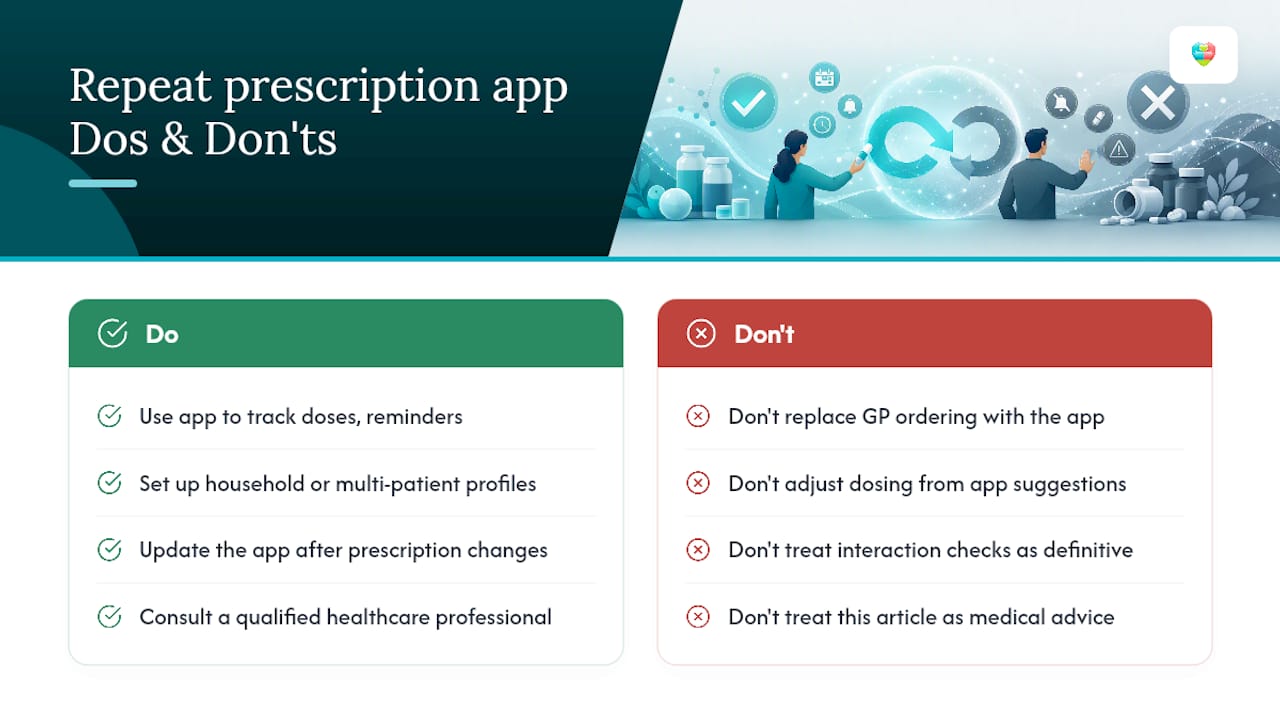
This article is general information, not a substitute for advice from a qualified doctor. Consult a qualified healthcare professional about your own circumstances before acting on anything here.
Sources
- IEEE conference article on family interaction and household sharing (2025)
- Systematic review and meta‑analysis of mobile applications on medication adherence (PMC)