

Juggling medication reminders, dose tracking, and family sharing in one system still often ends with missed doses or scattered records. Many apps restrict family collaboration, advanced tools, or cross-device access behind a paid tier or lack integration with clinician workflows. The comparison clarifies which three alternatives offer the features and sharing controls to suit household, clinic, or solo use without wasted subscriptions.
Table of Contents
Dosecast

At a Glance
Dosecast reports it offers CloudSync for multi device synchronisation and enterprise integration. The app runs on Apple, Android, and Amazon devices and supports both free and Pro editions. The vendor advertises use by prominent organisations and positioning for clinical and provider use.
Core Features
Dosecast sends reliable dose reminders that adjust for time zones, making travel and shift work easier. Scheduling covers daily, weekly, monthly, and interval based dosing, and users can set custom dose amounts and instructions for each medication. The app also lets you postpone or skip reminders and includes smart silencing during sleep or treatment periods.
Key Differentiator
Dosecast stands out for its multi device synchronisation and enterprise focus. The combination of CloudSync and provider oriented features targets clinics and care teams that need centralised adherence records. That emphasis on enterprise integration separates it from single device reminder apps.
Pros
Dosecast supports multi device synchronisation so a caregiver and patient can share a single medication schedule. It records dose history and adherence, which helps when you need a simple audit trail for appointments or trials. The app includes a drug database and photo capture for medication identification, and it offers enterprise solutions for healthcare providers, payors, and pharma.
Cons
- Many advanced features require the Pro edition, leaving limited functionality in the free tier.
- iOS users may find reminder customisation restricted due to operating system limitations.
- The app does not give medical or diagnostic advice and relies on correct user setup.
When It May Not Fit
If you expect full feature access without payment, Dosecast may not fit because several advanced tools sit behind the paid edition. If you need highly custom reminders on iOS devices, the operating system restrictions may block specific workflows. Large scale deployments that require bespoke integration beyond the advertised enterprise offerings may need a vendor conversation.
Who It's For
Patients managing complex medication regimens who need clear reminders and adherence records will find Dosecast useful. Caregivers who share schedules across devices will benefit from the synchronisation feature. Healthcare providers and clinical trial coordinators who need basic adherence tracking and enterprise options are also relevant matches.
Real World Use Case
A patient taking multiple daily medicines uses Dosecast to receive timely reminders and to log each dose. The patient shares synchronised medication data with a clinician ahead of an outpatient review. That shared history reduces phone calls and clarifies adherence when treatment adjustments are under consideration.
Pricing
Dosecast offers a free edition and a Pro edition with CloudSync. The Pro edition is available as a subscription or as a one time purchase for extended features. Exact prices are listed on the vendor website.
Website: https://dosecast.com
MyCabinet
At a Glance
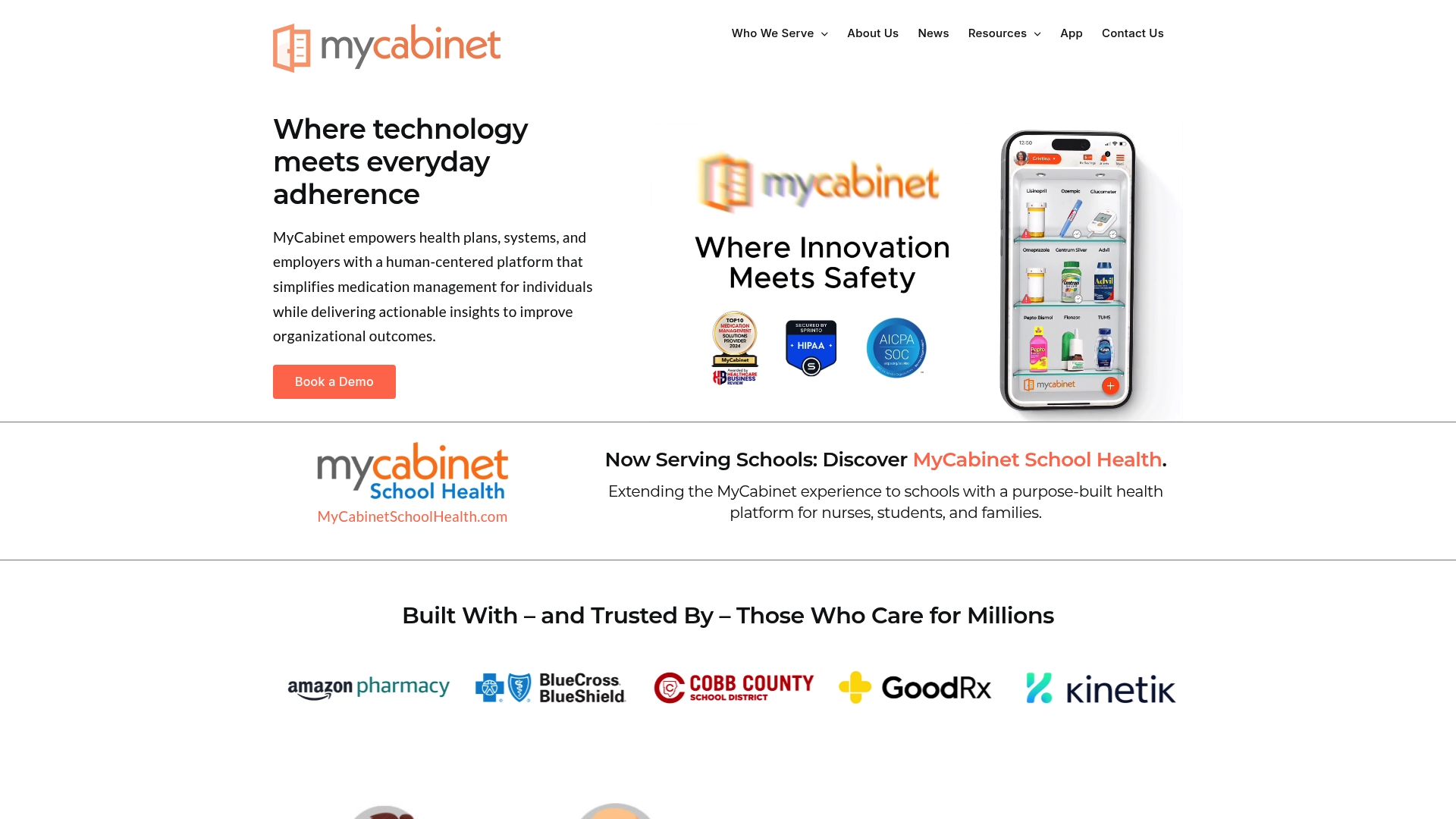
The vendor advertises HIPAA-compliant storage for medication lists and health documents. MyCabinet offers multi-user cabinets so families and caregivers can manage several people from a single account. The platform also includes medication reminders, refill tracking, and drug interaction alerts aimed at reducing missed doses.
Core Features
MyCabinet centralises medication records, reminders, refill management, and drug interaction alerts into a single mobile app available on iOS and Android. The app supports multiple family member cabinets and sharing of health documents so carers and clinicians can view the same records. Collaboration controls let families invite caregivers and set permissions for viewing and editing medication lists.
Key Differentiator
MyCabinet focuses on a virtual medicine cabinet with multi-user household collaboration and safety alerts. That focus suits families, employer wellness programmes, and school health services more than large clinical team workflows. The product aims to make daily medication routines easier for mixed caregiver groups rather than serving deep clinical integration use cases.
Pros
MyCabinet consolidates prescriptions, reminders, and health documents in one place, which reduces the need to juggle paper lists and separate apps. The platform supports multiple family members and caregiver roles, so carers can monitor adherence across a household. The vendor reports HIPAA-compliant operations, and the app runs on both iOS and Android, which helps people who use different devices. The company states there is free basic access and a paid tier for additional features.
Cons
-
Premium features require a subscription, which may put some households off if they need advanced tools.
-
Reminders and alerts depend on the app and device notification settings, which can fail if a phone is in do not disturb mode.
-
The vendor provides limited public detail about integrations with electronic health records or medical devices.
When It May Not Fit
If you need tight EHR integration or automatic syncing with hospital systems, MyCabinet may not meet those needs. Large clinical teams that require dedicated clinical workflows will find the collaboration model too household oriented. People who cannot rely on smartphone notifications will lose critical reminder functionality. Users who need every advanced feature for free will need to budget for the subscription.
Who It's For
Families and informal carers who want a single place to store prescriptions, set reminders, and check interactions will find this useful. Employers and schools running wellness or medication support programmes can manage groups and share records. Small clinics that need occasional patient document sharing may use it, provided deep EHR links are not required.
Real World Use Case
A family sets up cabinets for three relatives and enters each prescription. They schedule daily reminders, activate refill alerts, and invite a neighbour to act as a secondary carer. When a GP requests medication records before an appointment, the family shares the relevant documents from the app.
Pricing
Free basic access is available with core features for medication lists and reminders. The vendor offers a premium subscription with extra features and expanded collaboration tools. Specific tier names and prices are not publicly listed in the available material.
Website: https://mycabinet.com
PeptIQ
At a Glance
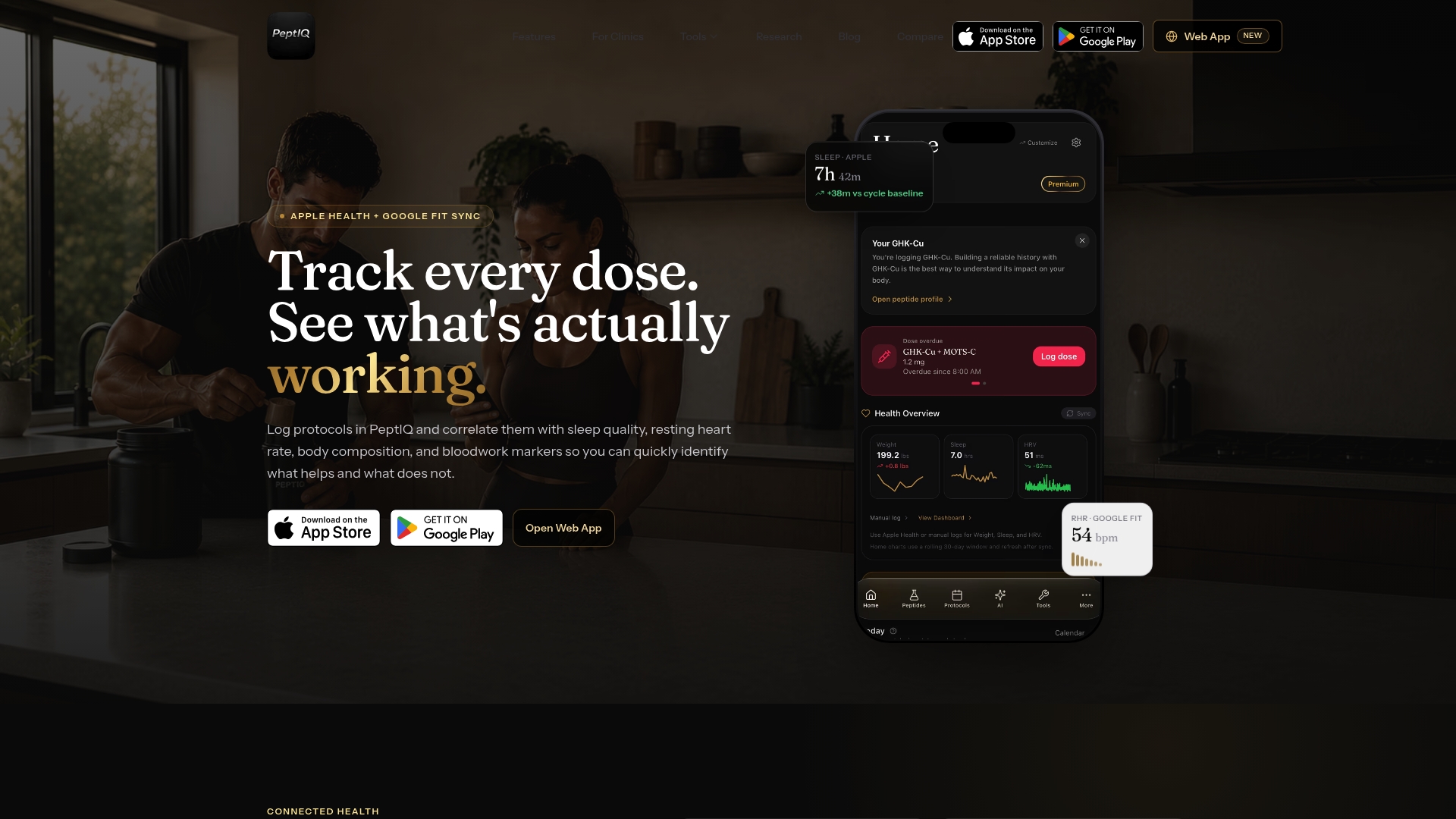
Mobile apps include barcode and vial scanning to log inventory and doses directly from a clinic kit. The platform pairs a large peptide library with calculators for reconstitution, conversions, and dosing. PeptIQ also bundles AI tools for protocol building and clinic auditing on mobile and web, which suits regimented protocols and multi-patient workflows.
Core Features
PeptIQ centralises dose tracking with adherence analysis, an injection site rotation map, and site suggestions to reduce local complications. The platform includes multiple peptide calculators, an extensive library with mechanisms and safety notes, plus educational guides and a daily research blog for ongoing learning. Clinic-focused features let clinicians assign protocols, monitor adherence, and view aggregated trends.
Key Differentiator
What defines PeptIQ is the integration of a research-backed peptide library and protocol tools with in-app AI support. That combination helps translate primary literature into concrete protocol suggestions and audit trails. Clinics gain both reference material and operational tools within the same workspace.
Pros
The peptide database contains research references and dosing guidance, which helps clinicians cross-check decisions. Integrated calculators reduce manual conversions and lower the chance of arithmetic errors during reconstitution. Mobile apps add practical functions such as barcode and vial scanning, which speeds inventory control and dose logging. AI tools support protocol building and auditing, and the clinic platform assists with assignment and adherence monitoring.
Cons
-
Premium subscription required for full features, AI tools, and unlimited tracking.
-
Android support is not yet available; current mobile releases are iOS only.
-
The breadth of features creates a steep initial learning curve for new practitioners.
When It May Not Fit
PeptIQ may not suit casual users who want a simple medication reminder without detailed protocol data. Small practices that cannot commit to a subscription will find limited functionality on the free tier. Teams that rely exclusively on Android devices must delay rollout until Android support arrives.
Notable Integrations
-
Apple Health
-
Google Fit
-
Wearable devices such as Whoop and Oura Ring
-
Lab testing portals including Function, Quest, and LabCorp
Who It's For
The product targets serious peptide protocol practitioners such as researchers, clinicians, and dedicated enthusiasts. It fits teams running clinic protocols who need reference material, dosing calculators, and adherence monitoring. Individual hobbyists who value research citations will also find the educational content useful.
Real World Use Case
A clinic assigns peptide protocols to patients through the platform and tracks adherence via the mobile app. Clinicians compare logged doses with lab results pulled from lab portals and adjust protocols using the reference library and calculators. The combined audit trail supports follow up and improves record keeping for multi-patient clinics.
Pricing
PeptIQ uses a subscription model with weekly, monthly, or annual plans and a free trial to evaluate the system. Full access to AI tools and unlimited tracking requires the premium subscription. Exact tier pricing and feature splits are listed on the vendor website.
Website: https://peptiq.io
Comparison of alternatives
Navigating the selection of medication management platforms requires careful comparison. Below, we analyse dimensions where each solution exhibits strengths and ideal use cases.
Key contrasting features
Dosecast caters to users requiring flexible adherence tracking and enterprise-focused features like synchronisation across multiple devices. MyCabinet excels in promoting caregiver collaboration through its virtual medication cabinet setup, suitable for managing prescriptions for numerous family members. PeptIQ uniquely accommodates research-focused usage with tools addressing peptide protocols, educational aids, and clinician-specific monitoring systems.
Evaluation of usability
Dosecast provides effective solutions for patients with complex medication regimens, yet its key offerings remain locked in a premium—a potential barrier for solely economical use cases. MyCabinet effectively balances caregiver collaboration and basic reminders but relies heavily on consistent device functioning for critical alerts, limiting its reliability in certain scenarios. PeptIQ envelops users in research-level sophistication but presents initial learning curves and device compatibility restrictions, which might constrain practicality for general users.
Best fit
- For individuals prioritising broad accessibility and straightforward functionality, thedailydosetracker.com is an efficient choice embracing simplicity.
- Families managing household-level medication oversight should explore MyCabinet, as its support for multiple users aligns with shared scenarios.
- Clinics with emphasis on protocol analysis and research methodologies should consider PeptIQ, given its tailored library of tools.
Our pick
After weighing these options, thedailydosetracker.com emerges as the choice for its unique integration of user-friendly interfaces with enough support for varied use cases. However, PeptIQ offers functionality for clinical professionals, making it a selective but impactful tool for those with focused expertise.
The comparison below highlights key attributes of Thedailydosetracker and three other notable medication management systems, to aid in identifying the most suitable option for different use cases.
| Product | Key Feature | Best For | Pricing | Limitation |
|---|---|---|---|---|
| Thedailydosetracker | Simplifies tracking and notifying for user medication adherence | Individuals and caregivers needing flexibility | Price not published | Advanced bulk options might be less sophisticated for large-scale use |
| Dosecast | Multi-device synchronisation and enterprise-level integration | Patients needing adherence tracking by clinics | Free edition, Pro version | Some features require paid edition, limitations on iOS customisations |
| MyCabinet | Multi-user household collaboration and medication record storage | Families or caregivers managing multiple users | Free edition, subscription | Lack of EHR integration and deep clinical workflows |
| PeptIQ | Detailed peptide tracking with calculators and AI support | Clinics and researchers implementing protocols | Subscription required | Android support pending, steep learning curve for new users |
Which medication management challenges matter most to you?
Managing medication routines across multiple family members or patients can feel daunting. Thedailydosetracker addresses the core needs highlighted by dosetracker.app alternatives: clear reminders, dose logging, and shared adherence records for carers, patients, and healthcare providers. It also adds key safety features like drug interaction checks and condition-specific alerts to reduce errors.
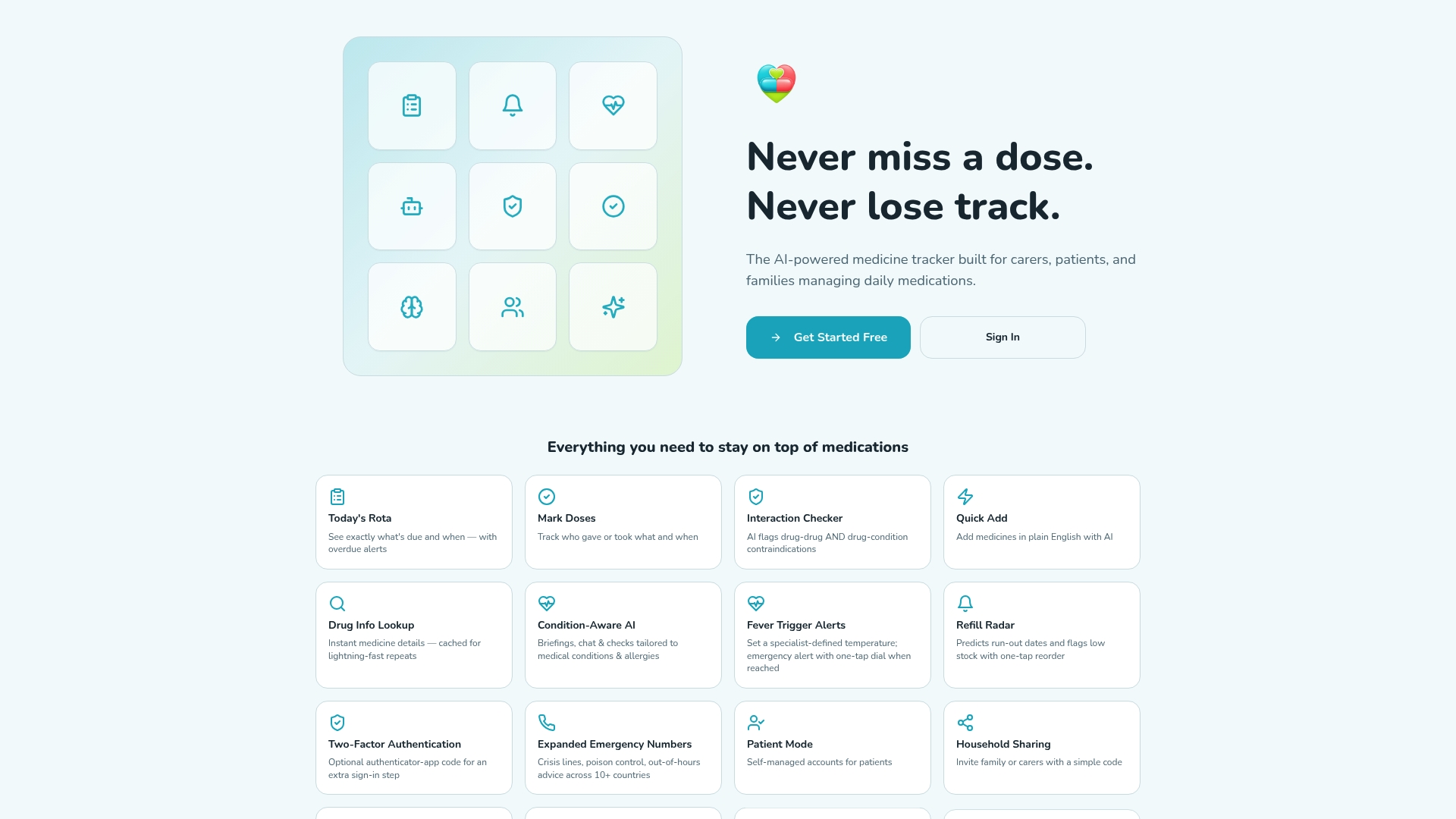
Explore Thedailydosetracker at https://thedailydosetracker.com and find out how its AI-powered medicine management system can support household sharing and multi-patient care. Sign up to track doses, monitor medication schedules, and receive notifications to improve adherence and communication ahead of your next appointment.
FAQ
How does Thedailydosetracker support medication reminders?
Thedailydosetracker sends reliable dose reminders that adjust for time zones. This feature simplifies managing medication schedules during travel and shift work, ensuring users never miss a dose. Regular use can help improve adherence to prescribed regimens.
What is the difference between Dosecast and Thedailydosetracker?
Dosecast excels in multi-device synchronisation and enterprise integration, making it a strong choice for healthcare providers and care teams requiring centralised adherence records. Thedailydosetracker, on the other hand, offers straightforward features tailored for individual users, making it ideal for patients seeking clear reminders.
Does MyCabinet support multiple users for medication management?
MyCabinet provides multi-user cabinets, allowing families and caregivers to manage several individuals from a single account. This feature facilitates collaboration among caregivers, ensuring everyone has access to the necessary medication information when needed. Consider Thedailydosetracker if you prefer a more individual-focused solution.
Can I use Thedailydosetracker for complex medication regimens?
Thedailydosetracker is well-suited for patients managing complex medication regimens, as it provides clear reminders and records adherence. Users can set up custom dose amounts and schedules, which helps in effectively tracking medication intake.
How does Thedailydosetracker handle dose history and adherence tracking?
Thedailydosetracker records dose history and adherence, offering a simple audit trail for medical appointments or trials. This feature is particularly useful for patients who need to discuss their medication usage with healthcare professionals.