

A medication management app is a digital tool that lets one person track, schedule, and log medicines for multiple family members from a single account. Managing children and adult medications in one app is not just a convenience. It is a safety measure. When a parent or carer juggles a child's paracetamol schedule alongside a grandparent's blood pressure tablets, the margin for error is real and the consequences matter. Apps like Encurage, MedGenie, and Thedailydosetracker address this directly by supporting multi-user profiles, caregiver roles, and real-time synchronisation across devices. This guide covers what to look for, how to set everything up, and the mistakes most families make before they find a system that actually works.
What features to look for when managing children and adult medications in one app
The single most important feature in any family medication app is multi-user profile support. Without it, you are managing separate apps for separate people, which defeats the purpose entirely.
Multi-user support and family sync

Apps that lack caregiver roles risk a silo effect where each person's medication record exists in isolation, leading to inaccuracies when more than one carer is involved. This matters most in households where a parent, a partner, and a grandparent all administer medicines at different times of day. Look for apps that allow you to assign specific permissions, so a school nurse can confirm a midday dose without seeing unrelated health records.
Dynamic dosing for children's as-needed medicines
Children's medications, particularly pain relief and antihistamines, are often given on an as-needed basis rather than a fixed schedule. Static calendar apps lack the dynamic dose interval calculations needed for these PRN (pro re nata) medicines. A good children's medication tracker calculates the minimum safe gap between doses automatically, preventing accidental double dosing. This is a feature that separates purpose-built family health apps from generic reminder tools.
Interaction checkers, refill alerts, and offline access
Drug interaction checking is non-negotiable when you are managing medicines across age groups. A child's ibuprofen and an adult's anticoagulant, for example, can interact in ways that a busy carer might not anticipate. The OpenPharmacy app stores scripts offline on the device, meaning carers can present QR codes at pharmacies without needing an internet connection. Refill alerts are equally practical, as running out of a child's daily medication mid-week is a preventable problem.
- Confirm the app supports at least two caregiver accounts with separate login credentials
- Check whether the interaction checker covers both adult and paediatric dosing ranges
- Verify that reminder confirmations are logged, not just sent
- Test offline functionality before relying on it at a pharmacy
Pro Tip: Before committing to any medication management app, add one real medication for one family member and run through a full reminder cycle. If the setup takes more than five minutes or the confirmation process is unclear, the app will not be used consistently under pressure.
How to set up medication profiles for children and adults in one app
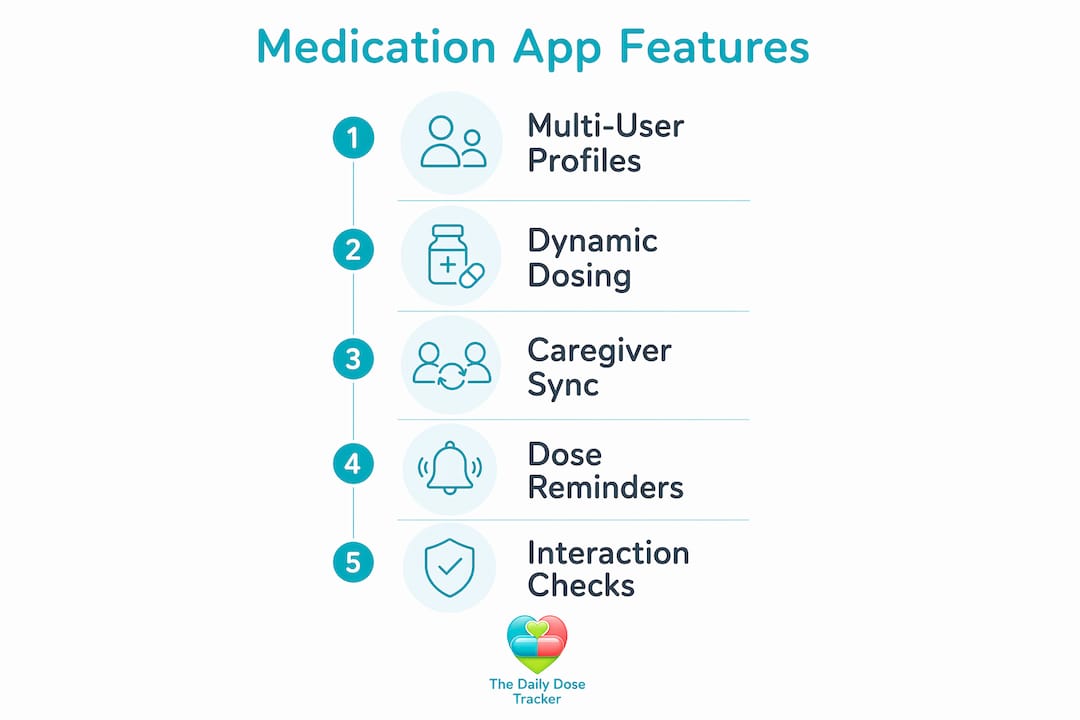
Setting up a family medication app correctly from the start saves significant time and prevents the most common errors. Most apps that support multi-adult access require the account holder to be at least 18 years old, with children and dependants added as managed profiles rather than independent users.
Follow these steps to organise your family's medication records properly:
- Create one profile per person. Give each profile a clear name and date of birth. Age matters because many apps adjust dosage guidance and interaction warnings based on it. Do not combine two people into one profile to save time.
- Enter every medication with full details. Include the drug name, strength, form (tablet, liquid, inhaler), dose, frequency, and the prescribing condition. Vague entries like "pink tablet, twice daily" are useless in an emergency.
- Set reminders with confirmation requirements. A reminder that fires and disappears without logging a response is not a safety tool. Configure the app so that each dose must be marked as taken, skipped, or missed.
- Assign caregiver roles with appropriate permissions. If a partner, grandparent, or childminder also administers medicines, add them as a secondary carer. Caregiver mode in apps like MedControl supports multiple profiles and vital sign logs from one device, which is particularly useful for households with elderly dependants.
- Use the calendar or log view weekly. A quick review of the adherence log every Sunday takes three minutes and catches patterns, such as a child consistently missing a lunchtime dose, before they become clinical problems.
- Update records immediately after any prescription change. Do not rely on memory. When a GP changes a dose or adds a new medicine, update the app before leaving the surgery or pharmacy.
Pro Tip: Take a photo of each prescription label and attach it to the relevant profile entry. This gives every carer in the household an instant reference point and removes the need to locate the original packaging during a night-time dose.
Keeping shared medication records accurate and accessible reduces caregiver stress and improves safety, particularly when care responsibilities are shared across more than one adult.
Comparing popular medication management apps for family use
No single app is perfect for every family. The right choice depends on whether you prioritise privacy, clinical features, or ease of use.
| App | Family profiles | Interaction checker | Offline access | Pricing |
|---|---|---|---|---|
| Encurage | Yes, multi-member | Yes, with PRN support | Limited | Free with premium tier |
| MedGenie | Upcoming feature | Basic | Yes, local storage only | Free, no cloud |
| MedControl | Yes, caregiver mode | Yes | Partial | Free with in-app options |
| OpenPharmacy | Yes, eScript groups | No | Yes, QR codes offline | Free |
| Thedailydosetracker | Yes, household sharing | Yes, AI-powered | Yes, progressive web app | Free tier available |
MedGenie stores all health data locally with no cloud accounts, which appeals to privacy-conscious families. The trade-off is that family synchronisation features are not yet live, limiting its use for households where more than one carer needs access. MedControl's caregiver mode supports vital sign tracking alongside medication logs, making it a stronger option for families managing elderly relatives with complex health needs.
Premium apps typically offer basic tracking for free and charge between nothing and £10 per month for advanced features such as interaction checkers and multi-member synchronisation. That pricing tier is worth it if you are managing more than two people or if any family member is on more than four regular medications.
- Encurage is best for families with children on as-needed medicines
- MedGenie suits privacy-first users comfortable waiting for family sync
- MedControl works well when vital signs need tracking alongside prescriptions
- Thedailydosetracker covers the full range with AI-powered interaction checks and UK GDPR compliance
Common mistakes when managing multiple family members' medications in one app
Most medication errors in family settings are not caused by carelessness. They are caused by app features that were never properly configured.
Mismanaging as-needed medication intervals is the most frequent and most dangerous mistake. A parent who gives a child ibuprofen at 8am and then forgets the time may give a second dose at 11am, well within the four-hour minimum interval. Apps without dynamic gap-tracking features cannot prevent this. The app simply does not know a dose was given unless it was logged.
Confusing profiles is a subtler problem. When two family members take similar medications at similar times, a carer in a hurry can log a dose against the wrong profile. This skews the adherence record and, in the case of a child's weight-based dosing, can have clinical consequences. Colour-coding profiles or using distinct profile photos reduces this risk significantly.
Failing to synchronise updates is the most common source of conflict between carers. Caregivers achieve better adherence when apps enable shared updates and confirm dose intake among family members in real time. When one carer changes a dose schedule in the app and the other is not notified, double dosing or missed doses follow.
"Real-time visibility and shared medication records are more important than automated reminders alone. Caregivers need to see what has happened, not just be told what to do."
Relying solely on alarms without requiring confirmation is a false sense of security. An alarm that fires while a carer is driving, cooking, or in a meeting gets dismissed and forgotten. The dose is never logged as missed, so no one follows up. Configure every reminder to require an explicit response.
Ignoring refill alerts is the final common failure. Running out of a child's daily asthma preventer or an adult's antihypertensive is entirely preventable. Most family health management apps include refill prediction tools. Use them.
Key takeaways
Managing children and adult medications in one app requires multi-user profiles, dynamic dosing support, and real-time caregiver synchronisation to reduce errors and improve adherence across the whole household.
| Point | Details |
|---|---|
| Multi-user profiles are non-negotiable | Each family member needs a separate profile with accurate age and medication details. |
| Dynamic dosing prevents double dosing | Choose an app that calculates minimum safe intervals for as-needed children's medicines. |
| Caregiver sync reduces errors | Real-time shared updates matter more than reminders alone for multi-carer households. |
| Confirm every dose explicitly | Configure reminders to require a logged response, not just a dismissed notification. |
| Review adherence logs weekly | A brief weekly check catches missed doses and scheduling problems before they escalate. |
Why I think most families underestimate what a good app can do
I have spoken with dozens of carers who describe their medication routine as "fine" until something goes wrong. A missed antibiotic course. A double dose of a child's fever medicine at 2am. A grandparent's repeat prescription that ran out over a bank holiday weekend. These are not rare events. They are the predictable result of managing complex, multi-person medication schedules in your head or across scraps of paper.
What surprises most people when they first use a properly configured family health management app is not the reminders. It is the visibility. Seeing a clear log of who took what, when, and who confirmed it changes how a household operates. It removes the "did you give her the tablet?" conversation entirely. It also surfaces patterns that are invisible day to day, such as a child who consistently misses the school-time dose because no one has assigned that reminder to the right carer.
The apps I find most useful are the ones that treat caregiving as a team activity rather than a solo task. Prescription management for kids in particular benefits from this approach, because children cannot self-report their adherence reliably. The carer who gave the dose at breakfast may not be the same person who picks the child up from school. Without a shared, real-time record, the gap between those two people is where errors happen.
My honest advice is to spend thirty minutes setting up the app properly before you need it. Add every medication, every profile, every carer. Test the reminders. Check the interaction tool. That investment pays back every single day.
— Prasant
Try Thedailydosetracker for your family's medication management
Thedailydosetracker is a free family medication app built specifically for carers and families managing medicines across multiple people. It supports household sharing, AI-powered drug interaction checks, real-time dose confirmation, and refill predictions, all within a UK GDPR-compliant platform.
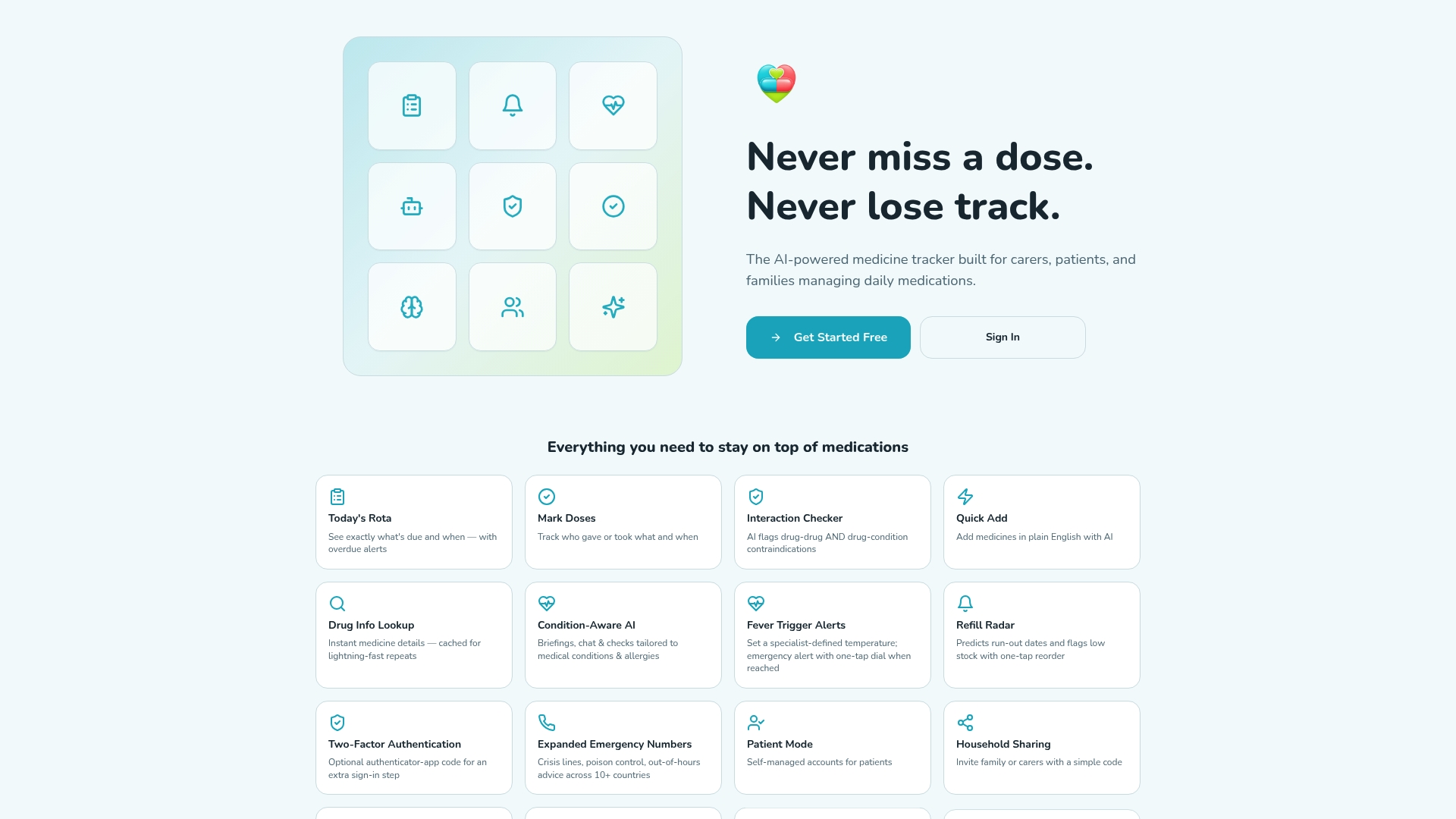
Whether you are tracking a child's as-needed antihistamine or an elderly parent's daily heart medication, Thedailydosetracker keeps every profile in one place and every carer on the same page. The security and privacy features are built for shared family use, with no compromise on data protection. Start with the free tier and explore the full feature set to find the plan that fits your household.
FAQ
Can one app manage both children's and adults' medications?
Yes. Apps with multi-user profile support, such as Thedailydosetracker and MedControl, allow a single account holder to manage separate medication schedules for children and adults from one device.
What is the safest way to track as-needed medicines for children?
Use an app with dynamic gap-tracking that calculates the minimum safe interval between doses automatically. Static reminder apps cannot prevent accidental double dosing for PRN medications.
Do medication apps share data between carers in real time?
The best family health management apps do. Real-time shared updates and dose confirmation features are the most effective way to coordinate care across multiple caregivers in one household.
Are medication management apps free to use?
Most apps offer a free tier covering basic tracking and reminders. Advanced features such as interaction checkers and multi-member synchronisation typically sit behind a paid plan, usually between nothing and £10 per month.
How do I keep medication records accurate when prescriptions change?
Update the relevant profile in your app immediately after any prescription change, before leaving the pharmacy. Attaching a photo of the updated prescription label to the profile entry gives every carer in the household an instant reference.